How to troubleshoot an AC dimmer switch that doesn't work?
Leave a message

A malfunctioning AC dimmer switch can be a real headache, not only disrupting the ambiance of a room but also indicating potential electrical issues. As an experienced AC dimmer switch supplier, I've encountered various problems with these devices over the years. In this blog post, I'll share some practical tips on how to troubleshoot an AC dimmer switch that doesn't work.
1. Safety First
Before you start any troubleshooting, it's crucial to prioritize safety. Electrical work can be dangerous, so make sure to turn off the power supply to the dimmer switch at the circuit breaker. Use a voltage tester to confirm that there is no electricity flowing to the switch. This simple step can prevent electric shocks and other hazards.
2. Check the Power Supply
The first thing to check is whether the dimmer switch is receiving power. Sometimes, the problem may not be with the switch itself but with the power source. Here's how you can check:
- Inspect the Circuit Breaker: Go to your electrical panel and check if the breaker corresponding to the dimmer switch has tripped. If it has, reset it and see if the switch starts working. If the breaker trips again immediately, there may be a short - circuit in the wiring or the switch.
- Test the Outlet: If the dimmer switch controls a lamp or other device plugged into an outlet, check if the outlet is working. You can use a lamp or a voltage tester to verify. If the outlet is dead, the problem may be with the wiring to the outlet or the circuit breaker.
3. Examine the Dimmer Switch for Physical Damage
Physical damage to the dimmer switch can cause it to malfunction. Look for the following signs:
- Cracks or Breaks: Check the switch plate and the body of the dimmer switch for any visible cracks or breaks. If you find any, the switch may need to be replaced.
- Burn Marks: Burn marks on the switch or around the terminals indicate overheating, which can be caused by a short - circuit or an overload. In this case, the switch should be replaced immediately.
- Loose Connections: Loose wires can disrupt the flow of electricity and cause the switch to stop working. Carefully remove the switch plate and check the wire connections at the terminals. Make sure the wires are tightly secured. If a wire is loose, turn off the power, tighten the connection, and then restore the power to see if the switch works.
4. Verify Compatibility
Not all light fixtures are compatible with dimmer switches. Some types of bulbs, such as traditional incandescent bulbs, are fully compatible with most dimmer switches. However, other types, like LED and fluorescent bulbs, may require special dimmer switches designed for them.
- Check the Bulbs: If the dimmer switch is not working properly, check the type of bulbs being used. Replace non - compatible bulbs with ones that are specifically designed for dimming. For example, if you're using LED bulbs, make sure they are marked as "dimmable."
- Look at the Switch Rating: The dimmer switch has a maximum wattage rating. If the total wattage of the light fixtures connected to the switch exceeds this rating, it can cause the switch to overheat and malfunction. Check the switch rating and ensure that the connected bulbs do not exceed it.
5. Test the Switch
If you've checked all the above and the switch still doesn't work, you can test the switch to determine if it's faulty.


- Use a Multimeter: A multimeter is a handy tool for testing electrical components. Set the multimeter to the resistance (ohms) setting. With the power off, disconnect the wires from the dimmer switch. Touch the multimeter probes to the terminals of the switch. A working dimmer switch should show a change in resistance as you adjust the dimmer control. If there is no change in resistance or if the multimeter shows infinite resistance, the switch is likely faulty and needs to be replaced.
- Replace with a Known - Good Switch: If you have another dimmer switch on hand that you know is working, you can temporarily replace the malfunctioning switch with it. If the new switch works, then the original switch is definitely the problem.
6. Check the Wiring
Faulty wiring can also be the culprit behind a non - working dimmer switch.
- Look for Damaged Wiring: Inspect the wires connected to the dimmer switch and the surrounding wiring for any signs of damage, such as frayed insulation or exposed wires. If you find damaged wiring, it should be repaired or replaced by a qualified electrician.
- Verify the Wiring Configuration: Make sure the wires are connected to the correct terminals on the dimmer switch. Incorrect wiring can prevent the switch from working properly. Refer to the installation instructions that came with the switch to ensure the correct wiring configuration.
Related Products
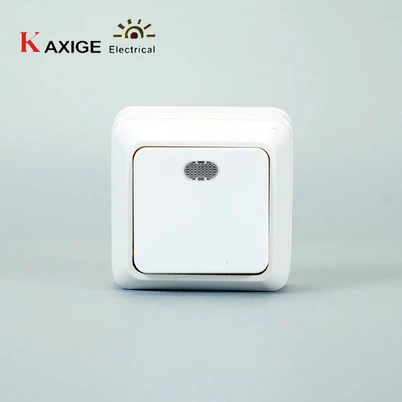
As an AC dimmer switch supplier, we also offer a range of other high - quality electrical products. For example, we have the 73B 2 Gang Switch with Lamp Indicator, which is a great addition to any home or office. It provides convenient control of two separate lighting circuits and features a lamp indicator for easy visibility.
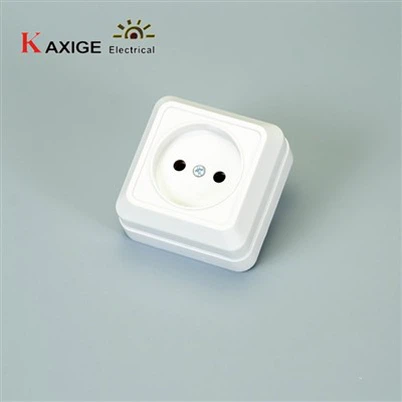
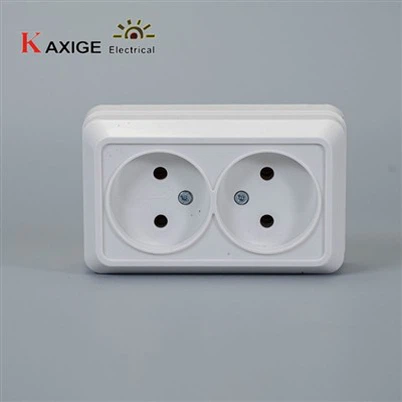
We also have the 73B 1 Gang Socket Grounding and the 73B 1 Gang Socket 2P, both of which are designed to provide safe and reliable power connections.
Contact for Procurement
If you're experiencing issues with your AC dimmer switches or are interested in purchasing our high - quality electrical products, we'd love to hear from you. Whether you're a homeowner, an electrician, or a business owner, we can provide you with the right solutions for your electrical needs. Reach out to us to start a procurement discussion and find the best products for your project.
References
- Electrical Wiring Handbook, 17th Edition
- National Electrical Code (NEC)