How do I troubleshoot an illuminated switch that is not working?
Leave a message

Hey there! As a supplier of illuminated switches, I've seen my fair share of issues where these switches light up but don't work as they should. It can be super frustrating, right? But don't worry, I'm here to walk you through some troubleshooting steps to get your illuminated switch back in action.
First Things First: Check the Basics
Let's start with the simplest stuff. Sometimes, the problem is right in front of us, and we just overlook it.
Power Supply
The first thing you gotta do is make sure the power supply to the switch is okay. Check if the circuit breaker related to that area has tripped. If it has, flip it back on. It might seem obvious, but you'd be surprised how often this is the culprit. Also, take a look at the fuse. A blown fuse can cut off the power to the switch. If you find a blown fuse, replace it with one of the same rating.
Bulb or LED
Since it's an illuminated switch, the lighting part might give you a clue. If the light is on but the switch isn't working, it could be that the bulb or LED is fine, but the switching mechanism is faulty. Sometimes, the bulb or LED can draw power even if the switch contacts aren't working properly. Check if the bulb or LED is loose. You can gently wiggle it to see if it makes a difference. If it's a replaceable bulb, try swapping it with a new one to rule out any issues with the lighting component.
Inspect the Switch Itself
Now, let's take a closer look at the switch.


Physical Damage
Check for any visible signs of physical damage. Look for cracks, burns, or any other obvious issues on the switch plate or the switch itself. If you see any damage, it's likely that the switch needs to be replaced. Physical damage can disrupt the electrical connections inside the switch, preventing it from working correctly.
Loose Connections
Loose connections are a common problem. Turn off the power to the switch at the circuit breaker before you start. Then, remove the switch plate and carefully examine the wires connected to the switch. Make sure they're tightly connected. If you find any loose wires, use a screwdriver to tighten the terminal screws. Be careful not to overtighten, as this can damage the wires.
Switch Contacts
The switch contacts are the parts that make and break the electrical circuit when you flip the switch. Over time, these contacts can wear out or become dirty. You can try cleaning the contacts with a small amount of electrical contact cleaner. Just spray a little on a cotton swab and gently wipe the contacts. If the contacts are severely worn, the switch may need to be replaced.
Consider the Load
Sometimes, the problem isn't with the switch itself but with the load it's controlling.
Overloaded Circuit
Check if the circuit the switch is on is overloaded. An overloaded circuit can cause the switch to malfunction. If you have too many devices plugged into the same circuit, try unplugging some of them and see if the switch starts working. You can also use a multimeter to measure the current flowing through the circuit to see if it's within the safe limit.
Faulty Load
The device or appliance that the switch is controlling could be faulty. Try connecting a different device to the switch to see if it works. If the new device works fine, then the original device is likely the problem. You can then troubleshoot or replace the faulty device.
Look at the Wiring
The wiring in your home can also cause issues with the switch.
Damaged Wiring
Inspect the wiring leading to the switch for any signs of damage. Look for frayed wires, cuts, or exposed conductors. If you find any damaged wiring, it needs to be repaired or replaced by a qualified electrician. Damaged wiring can be a safety hazard and can also cause the switch to malfunction.
Incorrect Wiring
Make sure the switch is wired correctly. Incorrect wiring can prevent the switch from working properly. If you're not sure how to check the wiring, it's best to call an electrician. They have the knowledge and tools to ensure the wiring is correct and safe.
When to Call a Professional
If you've tried all the above steps and the switch still isn't working, it's time to call in a professional electrician. They have the expertise and equipment to diagnose and fix more complex electrical problems. Don't try to fix the problem yourself if you're not confident, as working with electricity can be dangerous.
Related Products
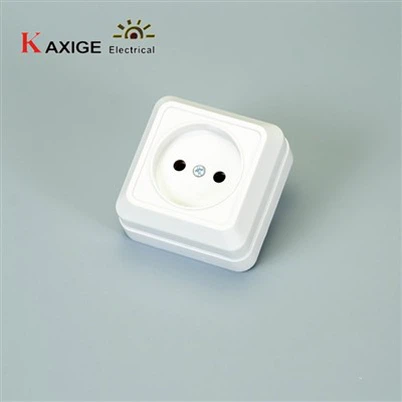
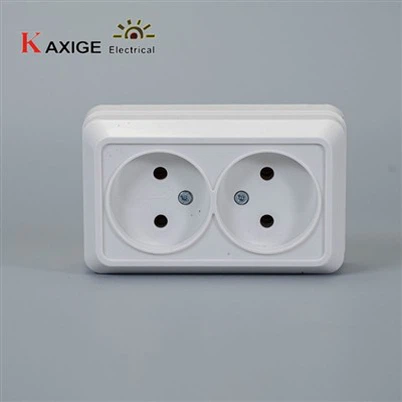
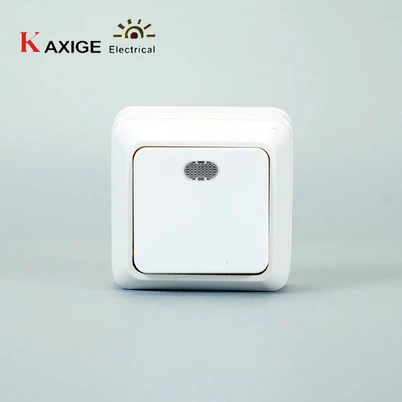
If you're in the market for new illuminated switches or related products, we have some great options. Check out our 73B 1 Gang Socket Grounding, 73B 2 Gang Sockets Grounding, and 73B 1 Gang Switch. These products are high-quality and reliable, and they can help you solve your electrical needs.
Let's Talk!
If you're interested in purchasing our illuminated switches or have any questions about troubleshooting or our products, we'd love to hear from you. Reach out to us, and we can start a conversation about your specific requirements. We're here to help you find the best solutions for your electrical needs.
References
- Electrical Wiring Handbook
- Home Electrical Repair Guide